Integrated Billing

From order to cash

Integrated Billing connects every charge directly to the service you activated. Costs are tracked from day one and invoices are generated automatically.

Talk to an expert
Benefits

The real impact of automation

Start invoicing after service delivery

Every service is billed from the moment it goes live. No deferred charges, no revenue you forget to capture.

Fewer billing disputes with customers

Your customers see exactly which service each charge belongs to. Clear invoices mean fewer questions and faster payments.

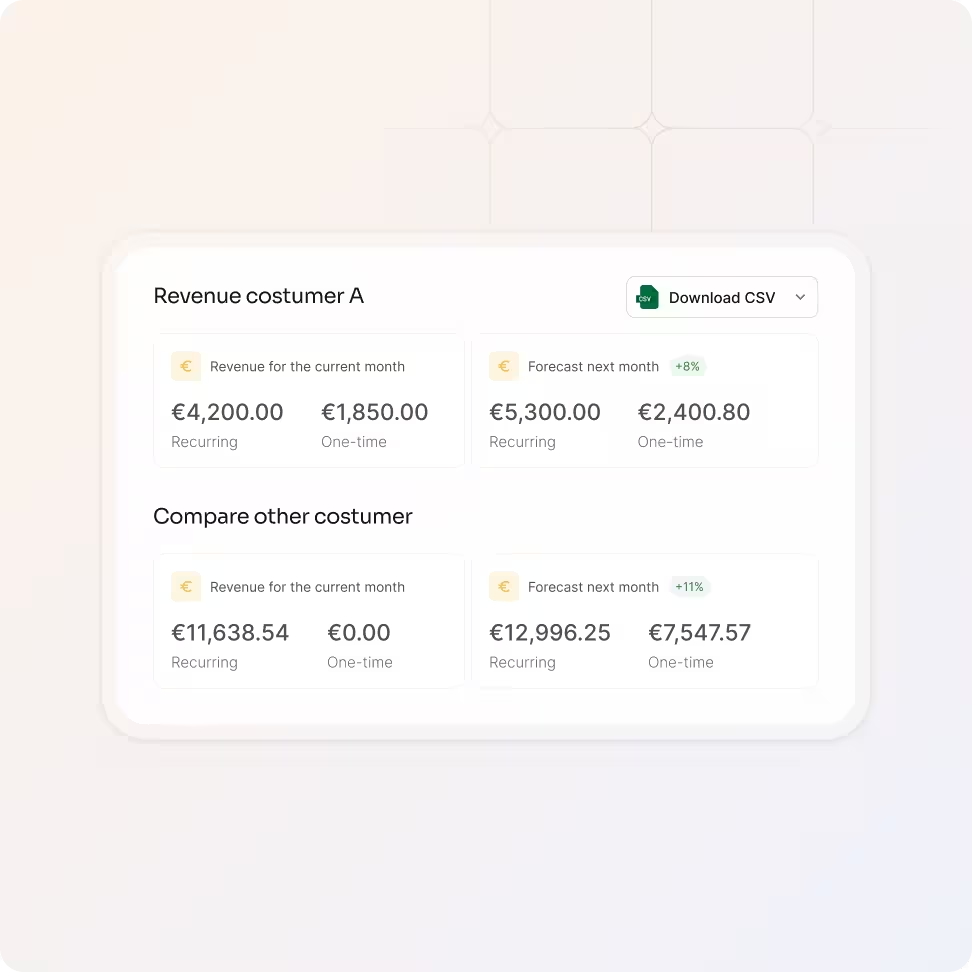
Forecast next month's revenue

Live forecasts based on active services show you what's coming so you can plan capacity, spot gaps, and adjust before the invoice goes out.

Finance spends less time on invoicing

Clean asset data powers automation. Use equipme's Workflow Engine to eliminate routine tasks and free your team for what matters.

Billing

Bill based on delivered services

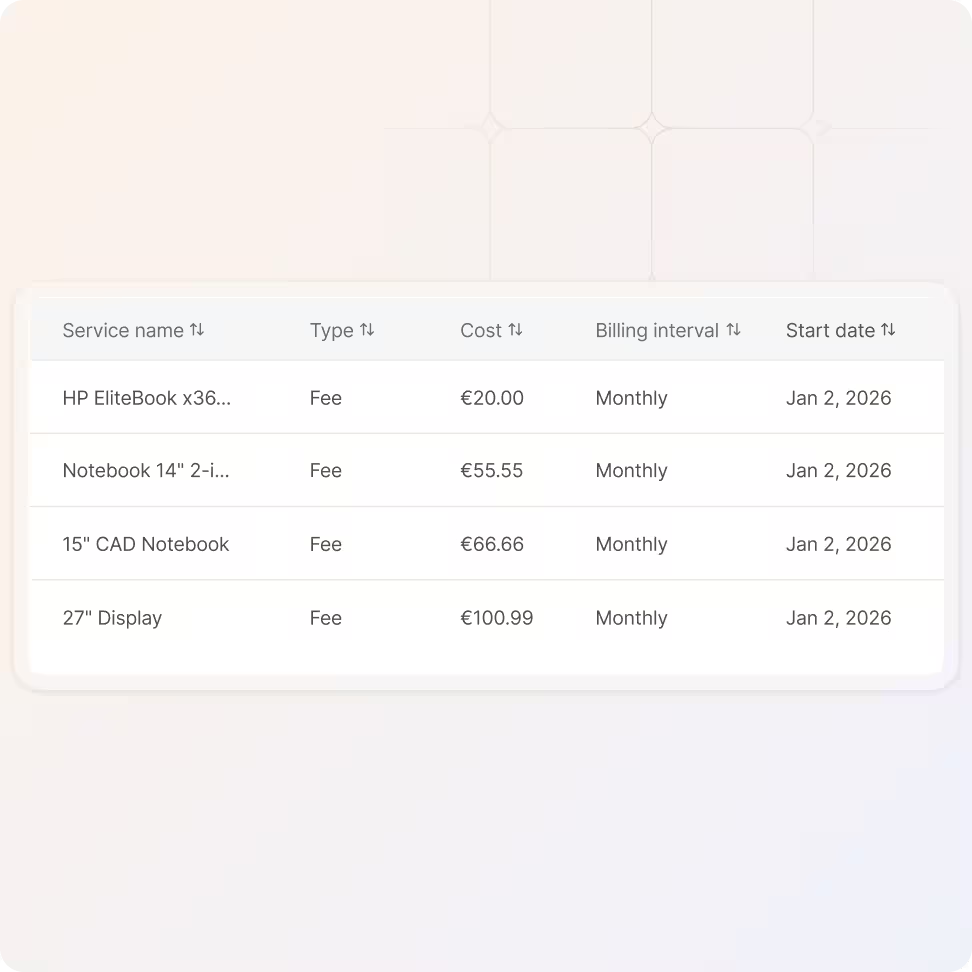
Every charge is tied to an actual inventory item like a device, a license or a subscription.

  • Link every charge to a specific service or product
  • Billing starts and stops based on service status
  • Eliminate manual matching between records and invoices
Forecast

See upcoming charges and cost forecasts

Know what next month's invoice will look like before it's generated. The forecast updates dynamically as services are added, changed, or cancelled.

  • View scheduled charges for services about to go live
  • Get monthly cost forecasts based on current services
  • Adjust service offerings before charges are finalized
Invoice

Monthly invoices with complete line item detail

Every invoice shows a full breakdown of costs so your customers see exactly what they're paying for.

  • View all invoices organized by billing period with full line-item detail
  • See service periods, pricing, and charge types per item
  • Filter, sort, and export invoice data for auditing or reporting
Activate

Revenue starts when the service starts

Activate a service on the 24th? The first invoice includes prorated charges from that day through the next billing cycle.

  • Billing begins when a service is activated for a customer
  • Costs are calculated automatically for partial billing periods
  • Improve cash flow by eliminating deferred or delayed charges
Export

Generate and share invoice PDFs

Create professional invoice PDFs for your customers directly from the platform.

  • Generate invoices with full charge details and service periods
  • Download or share invoices directly from equipme
  • Keep a complete, exportable invoice archive for compliance
a blue and orange gradient

Automate your billing and invoicing

Book a demo and see how Integrated Billing connects to your services, your pricing, and your customers.

Talk to an expert
More Features

Features that work with

Integrated Billing

Billing doesn't exist in isolation. Connect it with your service portfolio, fulfillment workflows, and client management for a complete order-to-invoice process.

Service Portfolio Management

Build, price, and publish your entire service catalog once, for all customers.

Learn more

Fullfillment

Process orders, route to vendors, and track delivery without touching a spreadsheet.

Learn more

Central Client Management

Manage every customer, contract, and service level from a single dashboard.

Learn more

Workflow Engine

Automate approvals, onboarding, and provisioning across all your customers.

Learn more

FAQs

Get answers to the questions service providers ask most about automated billing, invoicing, and revenue tracking.

Contact Support
How does prorated billing work?

When you activate a service for a customer, billing starts from that exact day. Any time between activation and the next billing cycle is included as a prorated charge on the first invoice. For example, if you activate a service on June 24th and your billing day is July 2nd, the first invoice includes prorated charges for June 24–30 plus the full charge for July.

Can I bill for one-time and recurring services?

Yes. Integrated Billing supports both one-time charges (like hardware purchases or setup fees) and recurring charges (like monthly subscriptions or managed services).

Can I see what next month's charges will look like?

Yes. The forecast view shows upcoming charges based on your current active services and any scheduled activations. It updates dynamically, so changes to services are reflected immediately in the forecast.

How does billing connect to service delivery?

Every charge is tied to a specific service or product in the customer's inventory. When fulfillment completes and a service becomes active, billing starts automatically. When a service is deactivated or returned, billing stops. There's no manual step between delivery and invoicing.

Can I export invoice data for my accounting system?

Yes. You can export invoices and billing data for auditing, reporting, or integration with your existing accounting tools. Invoices are organized by month and can be filtered by customer, service type, or billing period.